
Microsoft Edge: live captions for online videos – Ghacks

Microsoft added live captions support for all online videos to Microsoft Edge Stable quietly. The new feature is available as a preview at the time of writing.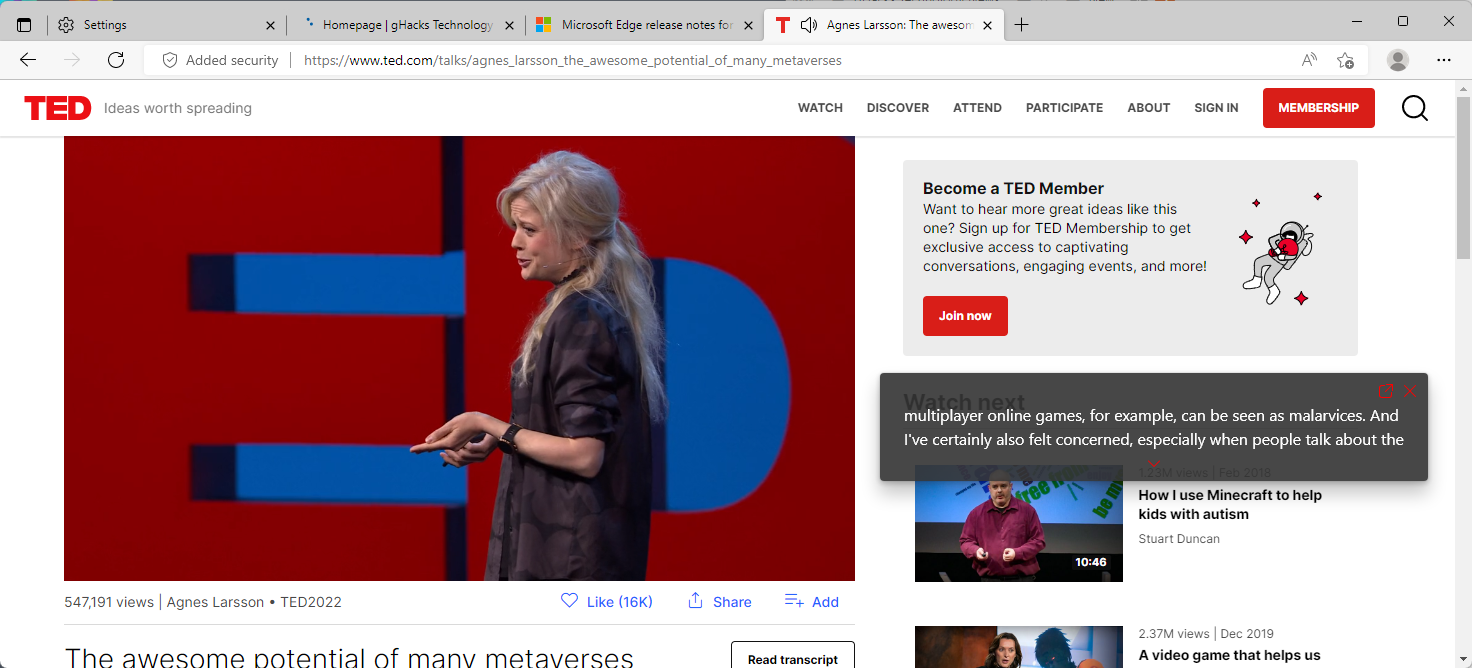
Available in Microsoft Edge 102 Stable and newer, live captions support adds captions to videos that play in the web browser. All it takes is to play a video in Edge, the browser takes care of the rest. Edge launches a small overlay on the screen that displays the captions.
You may move it around independently, even outside the borders of the Microsoft Edge window. Live Captions support needs to be enabled before it becomes available. Here is how that is done: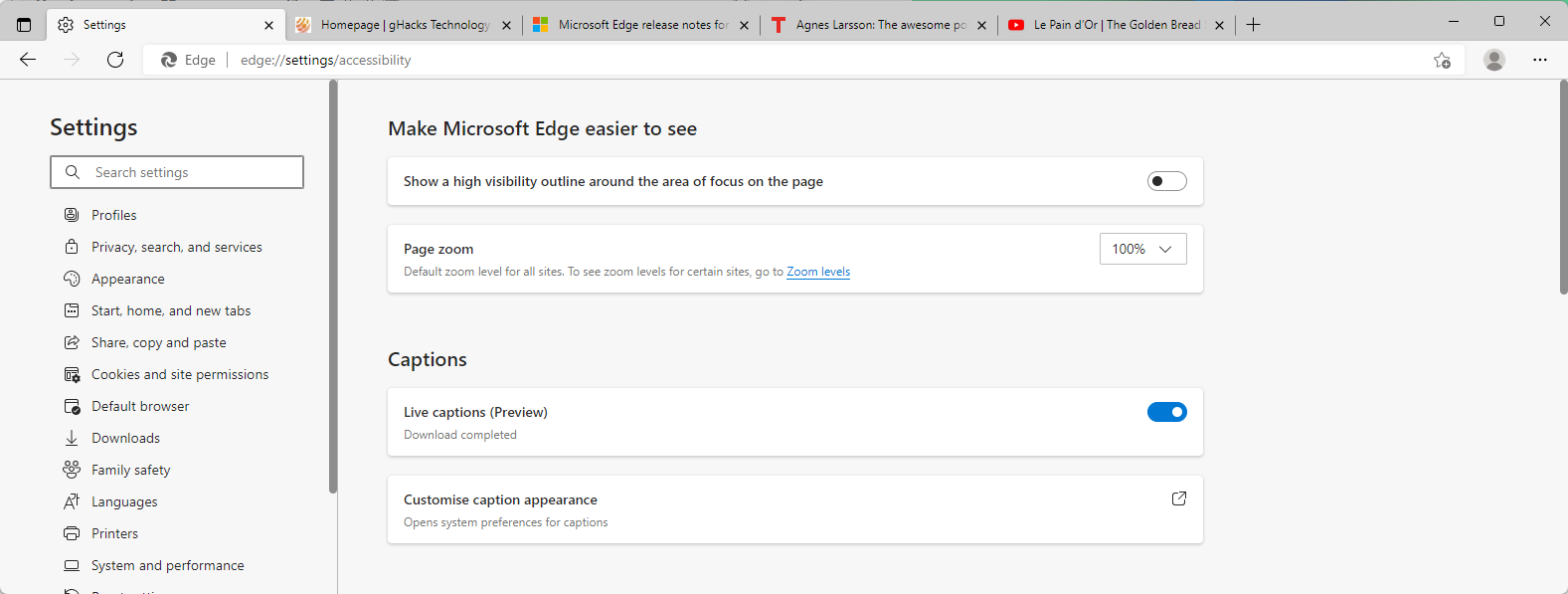
Live Captions work immediately in the browser, a restart is not required. You may customize the appearance of captions under the Captions group. Select “customize caption appearance” to display a preview in the settings application and customize it.
The configuration options in the Windows Settings app, and it is possible that the feature is limited to Edge running on Windows because of that,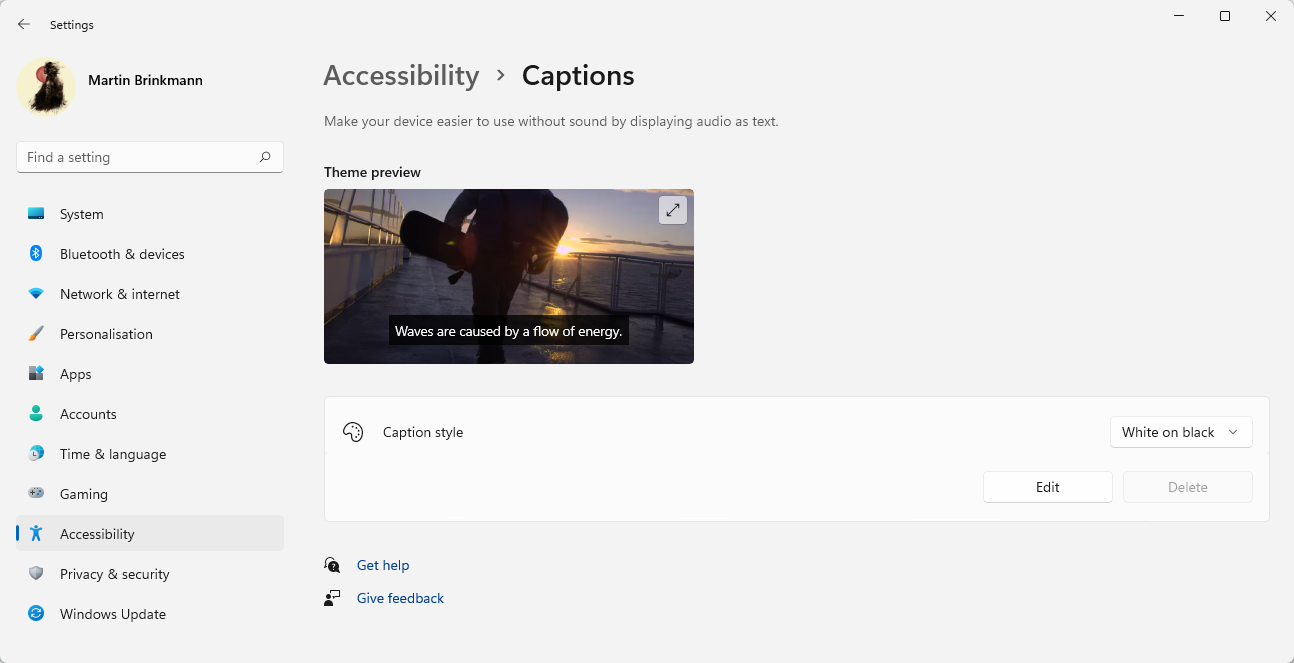
Options include changing the captions style from “white on black” to “small caps”, “large text”, or “yellow on blue”, or to create a custom style. These newly created styles support custom text, background and window settings.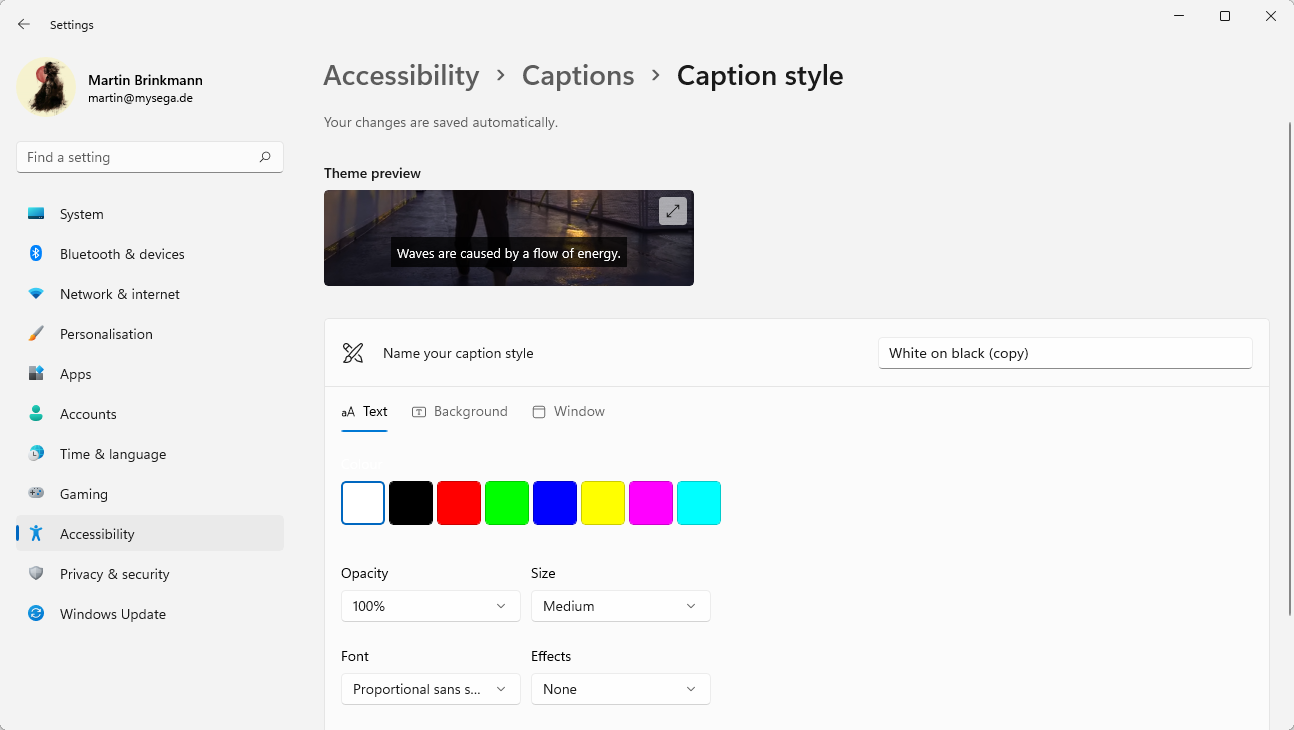
The changes take effect immediately.
Live Captions in Microsoft Edge work well for the most part. The preview tag suggests that users may encounter bugs or other issues. Besides missing options to toggle the feature off for a browsing session, the only available option is to turn it off in the Settings, it is missing support for non-English languages. Captions are displayed when you play non-English videos, but Edge displays English words instead of the words of the original language. It is definitely a shortcoming, especially for users who watch videos in multiple languages.
Closing Words
Live Captions support is a useful addition to Edge. While some video sites support subtitles or captions, it may even be useful to use Edge’s feature on these sites. Edge captions offer better customization options and may be moved around freely on the screen. The captions in Edge may also have a better quality than the site’s captions, but that requires testing on the user’s part.
Microsoft is working on introducing global captions support on Windows.
Now You: do you make use of captions?
Yup, this feature appeared in Edge Canary in version 102, so it was expected that it would be available in the Stable version when it was updated to that same version:
https://redd.it/ugzr9y
The toggle in Settings>Accessibility has been removed in the Dev and Canary versions.
Another new feature that Microsoft is testing on that same Accessibility page is the option to close tabs using double-click:
https://redd.it/vdw8uc
.
Please click on the following link to open the newsletter signup page: Ghacks Newsletter Sign up
Ghacks is a technology news blog that was founded in 2005 by Martin Brinkmann. It has since then become one of the most popular tech news sites on the Internet with five authors and regular contributions from freelance writers.