
Foxit PDF Reader 12.0 released – Ghacks

Foxit Software released Foxit PDF Reader 12.0 and Foxit PDF Editor 12.0, new major versions of two of the company’s PDF flagship products.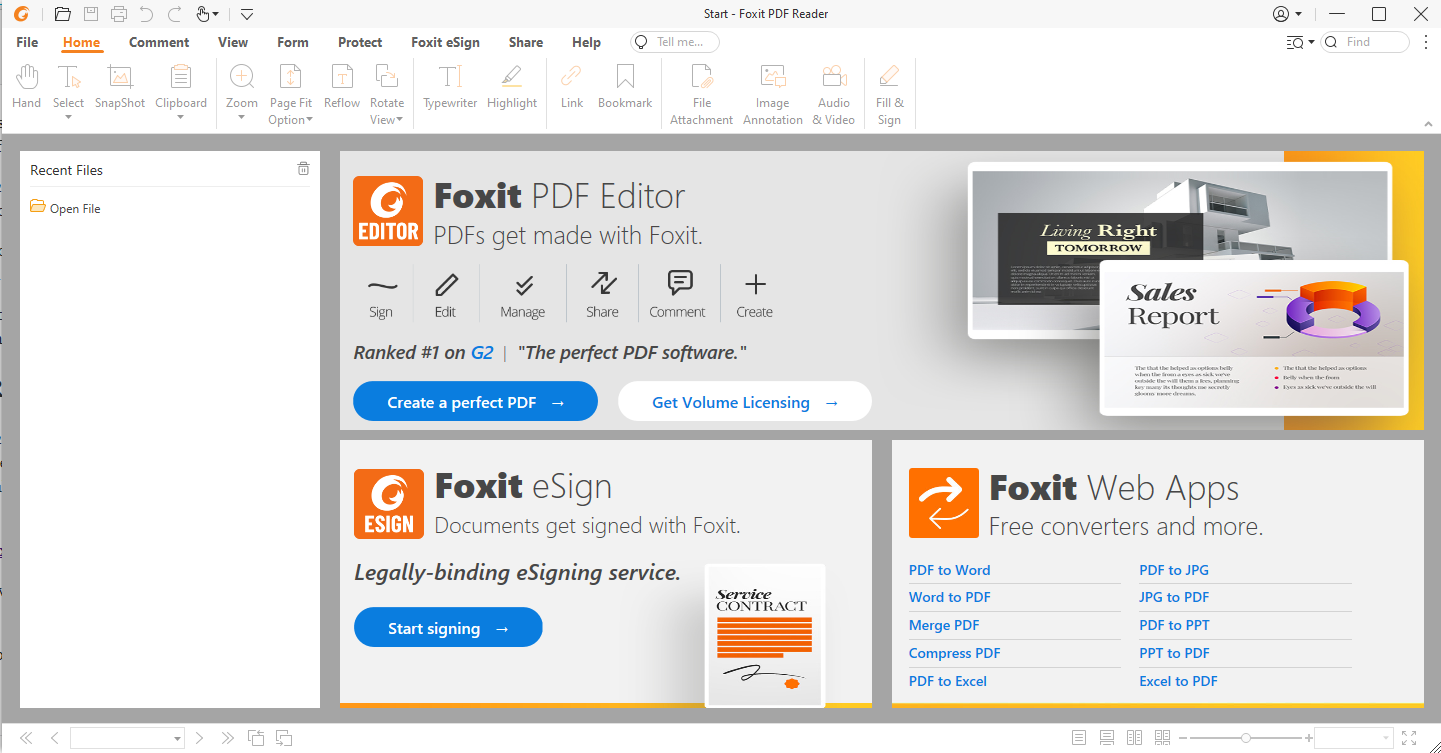
Foxit PDF Reader 12.0 is a free program to read and print PDF documents. It comes with limited support for additional functionality, such as the signing of PDF documents.
Our first review of Foxit Reader dates back to 2006, when Foxit Reader 2.0 was released. The then lightweight program was a popular alternative to Adobe’s heavier Adobe Reader application.
Over the years, Foxit Software tried several monetization options, including shipping the free product with toolbars, and the launching of new paid applications.
Foxit PDF Reader 12.0 is still available for free, but it comes as a hefty 160 Megabyte installation package that users need to download. The application itself requires more than 500 Megabytes of free disk space. The installer includes everything that is needed to run a Foxit PDF Editor trial, which may explain the size.
As a comparison, Foxit Reader 9.0 had an installer size of 51 Megabytes.
Some may prefer to view PDF documents in a web browser or true lightweight applications, such as Sumatra.
Foxit PDF Reader opens quickly, which is quite good. Version 12.0 of the PDF reader introduces several changes, including several security and stability issues according to the release notes.
As far as changes in the new version are concerned, there are a couple that users may like. One of the changes introduces support for viewing two PDF documents side-by-side in the same Foxit window, which improves comparisons and reviews. Another feature introduces support for reverting PDF files to previously saved versions.
Commenting and reviewing supports several new features. Comments may be exported as FDF or XFDF files, and there is an option to import XDFD comments. Other commenting options include filtering and sorting comments by color, and the ability to edit and reply to comments from the Comments panel.
Preferences include a search field now for quickly finding options without having to click through the various subsections.
Foxit notes that it has improved the user interface in the new version:
Offer improved user interface for better usability with new fonts, distinct colors for icons and backgrounds, and more, and better software accessibility for users using keyboard controls and screen readers.
The program’s EUTL certificate verification provides the qualified information of EUTL certificates in the new version.
Foxit PDF Editor 12.0 includes major changes, some of which are shared with the free version. Highlights include:
You can check out the full change history here.
Now You: which PDF reader do you use?
Nice that there is a real improvement (Especially the improvements in page management) update again. A real bad thing is that there is not a choice for a (Much) slimmer install.
Main number one to create, edit, sign, and secure PDF is Nitro.
The number two is Sumatra.
I will (not used since 2009) never use Adobe PDF reader again.
Foxit is nothing compared with MacOS’s Skim; in any case I have not come a better free PDF reader than Skim.
Pretty sure you’re paying the 2.5X+ Apple tax to get that “free” PDF reader.
@LOLOLOLOLOL: always be careful when you make a statement like “pretty sure ……”, because in this case you are wrong: Skim is free.
@LOLOLOLOLOL: sorry, misread your statement, you do state it is free. As for the “Apple tax”, perhaps so, but you are getting a superior machine and system integration compared with the Windows crap.
What an arrogant and idiotic statement.
@mattiew: why is that arrogant and idiotic? Do you honestly believe Apple would get away for decades with charging a premium for a machine that is no better than run-of-the mill plastic laptops?
Is it arrogant and idiotic to say that a Mercedes is a superior car to a Volkswagen?
If I hurt your feelings, I apologize. Perhaps, as a consolation, I can tell you that I have a MacBook Air and a Lenovo, so my comment was based on my experience with both. That does not mean the Lenovo is useless, and when my Mac eventually gives up the ghost, I am not sure I’ll be able to afford another one.
Quoting the article, “[Foxit 12] The installer includes everything that is needed to run a Foxit PDF Editor trial, which may explain the size [160 Megabyte installation package, 500 Megabytes on disk].”
Why not a clean, free, lite(r) version? Anyway, too heavy for me. SumatraPDF (3.4.6) and its 7,1 Megabytes installer suits all my needs (except that of the typewriter feature).
I wonder how Adobe and even this Foxit (ver. 12 especially) PDF Readers are so heavy. Muscle or fat?
I’ll stick with Sumatra 3.3.3. for now, while I’m on Windows. I had used Foxit way back when, but switched to Sumatra before Foxit 7 was released. I did remember that Foxit PDF also has an Android App. Boy, is it big, too. 97.1 MB installer apk.
FYI, I’m sticking to Sumatra 3.3.3 because 3.4.6 still doesn’t have an EbookUI, I’m sorry, but I prefer to have a selection of font sizes and a choice between fonts.
I like Sumatra even better than Java 😉
The “clean” version without Foxit PDF Editor during installation is less than a MB smaller in size than the prom version. Maybe Foxit PDF Editor is still bundled in the installer but they just removed the option when installing the reader
Not sure links are allowed here but here it goes if anyone is interested.
https://cdn01.foxitsoftware.com/product/reader/desktop/win/12.0.0/FoxitPDFReader120_enu_Setup_Clean.exe
I prefer PDF-Xchange Editor (Free Version). I use Sumatra for EPUBs.
@Tom Hawack
SumatraPDF is the best.
@Sumatra, as @Henk in his above comment, I like Sumatra even better than Java ;-).
Sumatra president (morning lol).
This is a great alternative to Adobe Reader. Got rid of all Adobe products from my computer once Flash died.
One feature that I love in Foxit Reader is the “Advanced Search”, where it opens a sidebar and shows a list of all occurrences of the search term. I use this all the time and wouldn’t want to live without it.
Foxit also has better display quality than some others. For example, if I open a document side-by-side in Foxit and Sumatra, the text looks sharper/clearer in Foxit.
It is too bad that it has gotten so large over the years, but it is still pretty fast, and features like document filling and signing are useful. Occasionally I get the urge to see what else is out there, but so nothing else has swayed me away from Foxit Reader.
For editing, I have used Nitro Pro, and liked it better than Acrobat. I don’t know how the Foxit editor compares.
Please click on the following link to open the newsletter signup page: Ghacks Newsletter Sign up
Ghacks is a technology news blog that was founded in 2005 by Martin Brinkmann. It has since then become one of the most popular tech news sites on the Internet with five authors and regular contributions from freelance writers.