
How to block web fonts to improve privacy – Ghacks

Websites that make use of text have two main options to display it. Use a font that is available on the majority of user devices or use custom web fonts, which are not installed on a user’s device.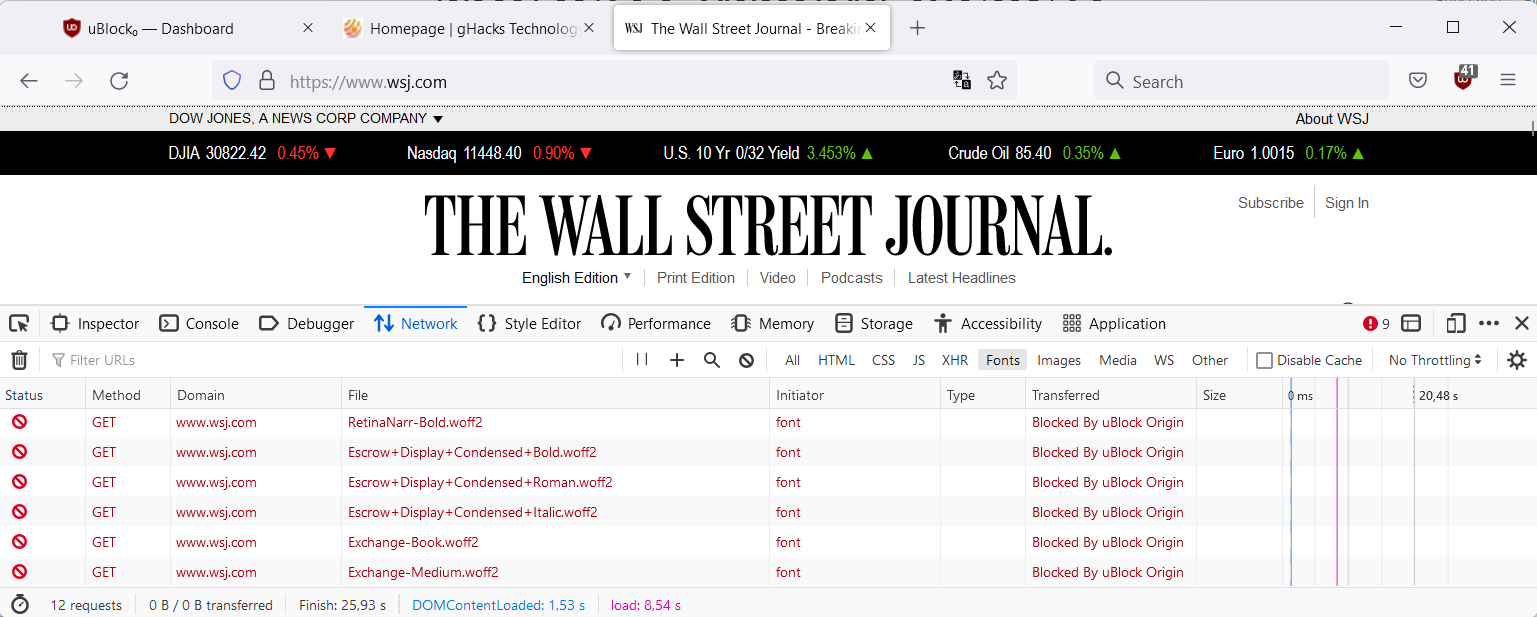
Custom web fonts, such as Google Fonts, give web designers more options when it comes to text display on websites, but they require that visitors download these fonts when they connect to the site. Caching is used, usually, to avoid that fonts are downloaded on every page visit.
For Internet users, the use of web fonts has two main disadvantages:
Performance is the obvious one, as a request needs to be made to the server hosting the font to download it. While that is usually quick, it still adds to the loading time. Issues with the server may also lead to loading issues on the site. Users who are on a tight bandwidth budget or on very slow connections may benefit the most from the blocking.
Privacy is the second. Since requests are made to servers, e.g., Google servers that host the company’s fonts, information such as the IP address is automatically submitted. Not all organizations that host web fonts use the information to track users, but there is always the chance that this is happening.
Google, for example, highlights the following in the terms:
The APIs are designed to help you enhance your websites and applications (“API Client(s)”). YOU AGREE THAT GOOGLE MAY MONITOR USE OF THE APIS TO ENSURE QUALITY, IMPROVE GOOGLE PRODUCTS AND SERVICES, AND VERIFY YOUR COMPLIANCE WITH THE TERMS. This monitoring may include Google accessing and using your API Client, for example to identify security issues that could affect Google or its users.
Since many sites use web fonts, widely used fonts may provide organizations with additional information about a user’s activity on the Internet.
Blocking web fonts may lead to display issues on some sites. Sites that rely solely on web fonts, without having fallbacks in place, may not display correctly.
It is relatively easy to find out if a site uses web fonts.
How to block web fonts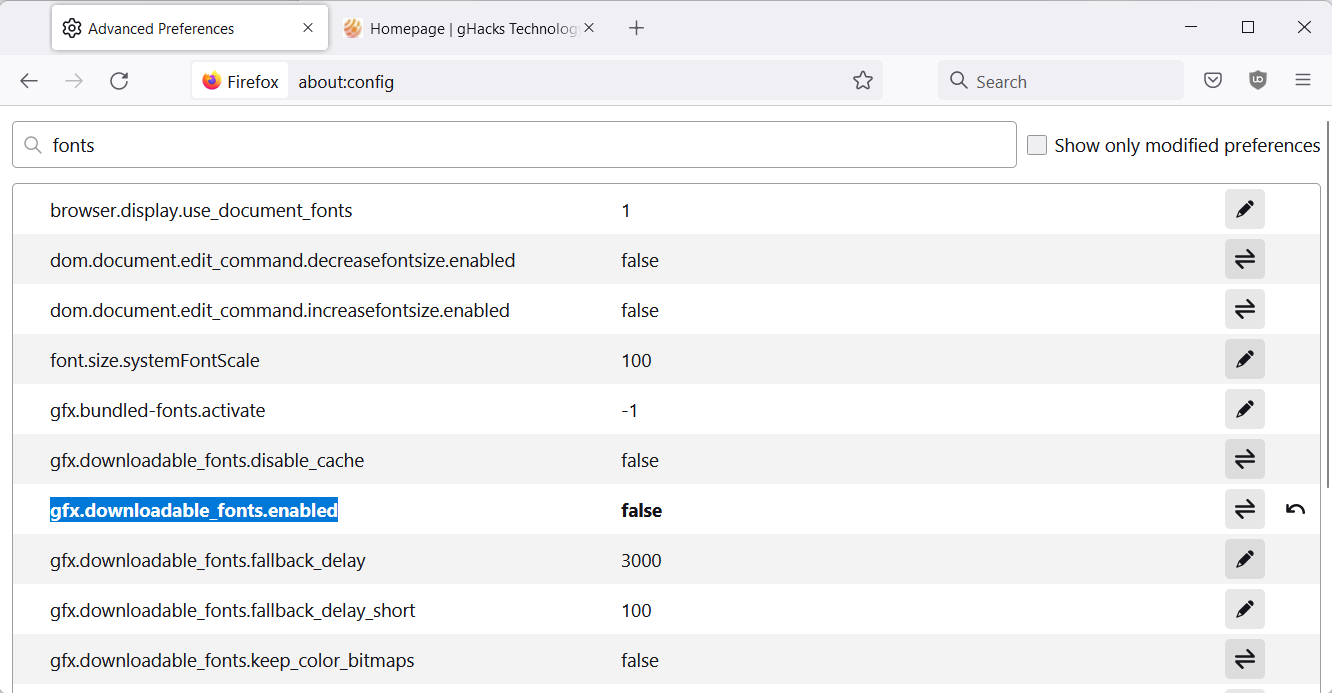
Web fonts can be blocked in a number of ways, depending on the browser that is used.
Firefox users may set the preferences gfx.downloadable_fonts.enabled and gfx.downloadable_fonts.woff2.enabled to false to block downloadable fonts in the browser.
The browser has another setting that may be of use. Introduced in Firefox 41, it enables Firefox to set specific fonts for visited websites.
Users of the content blocker uBlock Origin may add a single custom line to it, to block web fonts. Open the Settings, switch to My Filters, and add the line *$font,third-party. Select Save, and you are all set. The content blocker includes an even stricter option, which blocks all remote fonts. To activate it, select “Block remote fonts” in the extension’s settings. Sites that do not display correctly may be excluded from the blocking.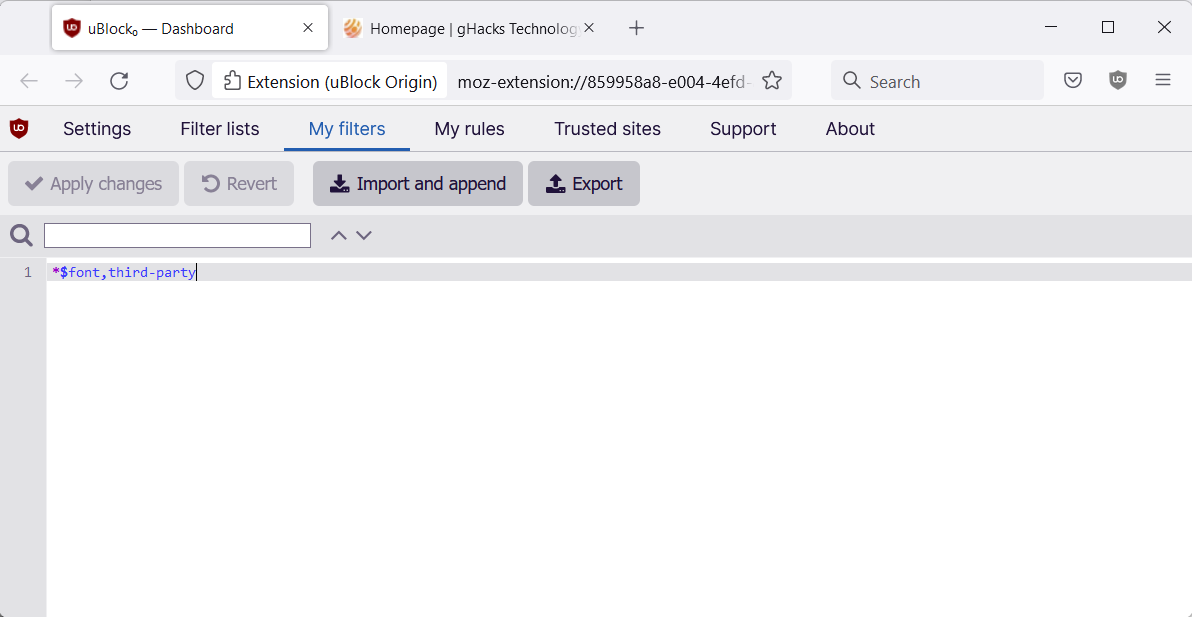
This blocks the use of web fonts on third-party sites only. First party sites are still allowed to load them.
Another option is to use a pre-made anti-fonts list, which you find here. Just import it into your content blocker of choice to block the majority of web fonts out there on third-party sites
Now You: how do you handle web fonts? Are you concerned about them? (via Collinmbarret)
https://filterlists.com/lists/fanboys-anti-thirdparty-fonts
fonts.googleapis.com is present on so many websites due to lazy website admins, it‘s ridiculous. Such laziness enables one of Google‘s mightiest tools in their tracking arsenal, their not-so-benign free font service. It is often overlooked because it is so subtle.
https://www.theregister.com/2022/01/31/website_fine_google_fonts_gdpr/
Thank you for the link to the list. I was able to import it into Vivaldi’s built-in ad blocker. Also, thank you for the article.
Yep, used to block fonts. Main reason being loading time and on some sites content would different from initial loading – mainly alignment would change slightly. Then switched to block third party only. For the past year I’m in a bit relaxed state and so now no fonts are blocked. But I have blocked Google fonts in dynamic filtering pane of uBO.
After reading this article time has come to take measures for privacy again. Thanks MartinB for the article.
> Firefox users may set the preferences gfx.downloadable_fonts.enabled and gfx.downloadable_fonts.woff2.enabled to false to block downloadable fonts in the browser.
According to arkenfox the pref `gfx.downloadable_fonts.woff2.enabled` got removed in FF 69 (https://github.com/arkenfox/user.js/commit/feaa1c3e99f658f28dc59d6aa92ed1cfeefbe57d). The other one, `foo` is considered to be useless and is part of section 7000 ‘DON’T BOTHER’ (https://github.com/arkenfox/user.js/blob/master/user.js#L1159). Maybe the article can make this more explicit?
The article summarizes all available settings to handle a user’s relationship with Web fonts.
Personally,
– I do not block Firefox’s download of Web fonts :
// pref(“gfx.downloadable_fonts.enabled”, true); // DEFAULT=true
– I do not disable websites choosing fonts (0=block, 1=allow)
// This can limit most (but not all) JS font enumeration which is a high entropy fingerprinting vector
// [SETTING] General>Language and Appearance>Fonts & Colors>Advanced>Allow pages to choose…
// pref(“browser.display.use_document_fonts”, 1); // DEFAULT=1
– I do not use a dedicated uBO filter as mentioned in the article [ *$font,third-party ]
Why? Mainly because I’ve encountered too many display inaccuracies with glyphs and various “icon” fonts, those fonts used to display a small image, i.e. “back”, “next” …
My choice has long been to disable websites choosing their fonts (“browser.display.use_document_fonts” = 0) with per-site exceptions : for that I used then a dedicated Firefox extension:
‘Enforce Browser Fonts’ at [ https://addons.mozilla.org/en-US/firefox/addon/enforce-browser-fonts/ ]
But then, when I authorized a site to use its own font(s) for the purpose of having its glyphs displayed, I’d have to accept all of its fonts …
My Web font policy is now to
– accept Web fonts
– together with the LocalCDN Firefox extension and its ‘Block Google Fonts’ option
– Consider not further privacy but aesthetic reasons to use my font of choice everywhere except for given font classes required for … images. For this I’ve set a simple CSS applicable to all pages, set for Arial with exceptions for icon/glyphs … whatever a font rendering an image may be :
*:not([class*=”icon”]):not([class*=”glyph”]):not([class*=”awesome”]):not(i):not([class*=”vjs”]):not([class*=”ion”]):not([class*=”owl”]):not([class*=”button”]):not([class*=”fas”])
{font-family: “Arial” !important;}
Need to say, I like, I love, I adore, I worship the ‘Arial’ font. Calming down : it’s my favorite and I dislike generally speaking serif fonts…
Obviously for once I’m not emphasizing on privacy but on page rendering. I may be wrong. The wisest would certainly be, IMO, the pre-made anti-fonts list described in the article. I’m on my way to consider that approach.
Quoting myself, above comment, sorry :
“The wisest would certainly be, IMO, the pre-made anti-fonts list described in the article. I’m on my way to consider that approach.”
I’ve just added Fanboy’s pre-made anti-fonts list [ https://fanboy.co.nz/fanboy-antifonts.txt ] mentioned in the article.
Great, no problem… except that I just encounter an issue with a blocked font that handles, once again, icon images.
Fanboy’s Anti-thirdparty Fonts llist includes :
||fontawesome.com^$third-party
But with that filter [netcraft.com] pages don’t display some of their “icons” …
So we have to add an exception for the filter, or for the filter specifically on [netcraft.com]. Let’s choose the latter hoping not too many other sites be concerned, in which case I’d consider making the exception applicable to all:
In uBO / Dashboard / My rules I have to add:
! FONTS : EXCEPTIONS TO FANBOY’S ANTI-THIRDPARTY FONTS
@@||fontawesome.com^$domain=netcraft.com
I PROCLAIM : using fonts to display images is a pain. To put it mildly, if I may say (LOL).
IMO it does not makes sense. Ok, providers can use them to track us, but using sites with old, ugly fonts? No way
@Lukasz
One doesn’t need to tackle each and every privacy issue IF it causes usability issues. Usability is always paramount. That being said, good extensions that don’t break stuff are uBlock Origin, LocalCDN, and ClearURLs. Zero usability issues with those in their default config.
Next step will be to block the colours themselves. And the final step, the ultimate privacy improvement, will be the screen all in black. Nothins to see, nothing to be harmful.
Thanks for the article.
I use uBlock Origin in advanced mode and block all fonts, scripts, CSS, and large images by default. I almost never need to allow external fonts in order to get readable text.
Excellent tip! Thanks.
One of Ghacks sponsors is AdGuard. I purchased a life time subscription through Ghacks and it also blocks fonts if I want it to.
I was checking on Bromite, the Android Browser, and there is an open bug to implement the blocking of web fonts.
“Privacy” concerns about [web] fonts is like being concerned with someone seeing how much ketchup you put on your fries at the burger joint.
Please click on the following link to open the newsletter signup page: Ghacks Newsletter Sign up
Ghacks is a technology news blog that was founded in 2005 by Martin Brinkmann. It has since then become one of the most popular tech news sites on the Internet with five authors and regular contributions from freelance writers.