
How to Remove Filters on TikTok from any Video? – TheTealMango

TikTok features tons of filters and effects that you’ll see on almost every video, and you can even use them to create perfect videos for the platform. But, how do you remove those filters and effects from TikTok Videos? Be it yours or someone else’s? Find out here.
Filters are always optional on TikTok. They are created to make the original videos look good, however, they aren’t essential. Sometimes, you’ll feel like the filter that you have added is performing inversely and you should remove it, then you can simply do that.
There are some TikTok filters that are linked with trends. The viral Rotoscope filter is the most recent example. Sometimes you may wish to remove the filter from a TikTok video to find out what’s behind the filter, possibly to unveil or uncensor it.
Straightforwardly, No. It is not possible to remove a filter or effect from someone else’s video on TikTok. You can only view it as it is, and you can’t cause any changes to the original clip. You cannot uncensor any parts of the video, and you can’t find out what’s behind the filter, effect, or sticker either.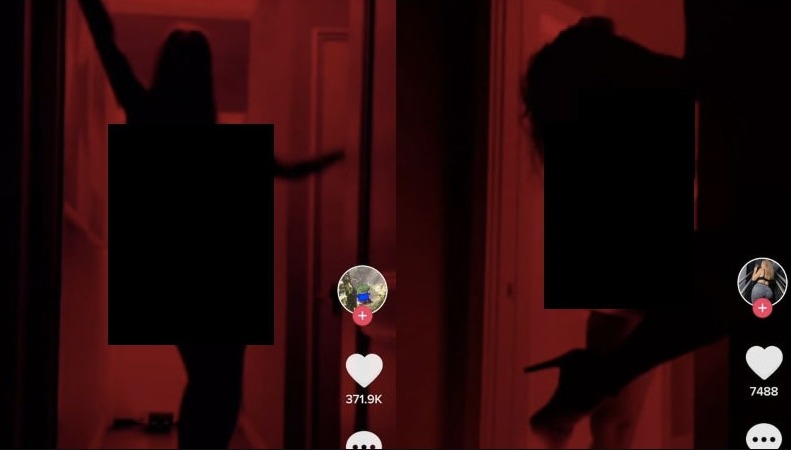
All of these are possible when it is your own TikTok video. You can’t alter someone else’s TikTok video, and that’s a fact. Anyone telling you otherwise is either misleading you or merely playing a prank on you.
No, there aren’t any apps or websites that can remove filters or effects from someone else’s TikTok videos. If you have been searching for them, then you are only wasting your time as it is simply impossible.
There’s no app available to help you remove the red silhouette filter and present the raw clip in front of you.
Trust me, if a dude was able to create an app that was somehow possible to remove Tiktok Filters, he would be selling it for money. Not announcing on Twitter how he gonna use it for nudes
— Stranded Time Traveler (@WeaponXKP21) January 29, 2021
TikTok doesn’t allow that. Although you may download a TikTok video and edit it accordingly, you can’t remove what’s already available in the clip. The TikTok will stay as it is.
Yes, this one is possible. You can add, remove, or re-add, or then re-remove filters and effects from your TikTok videos at any stage, before posting.
You can remove filters while it is a draft, you can remove filters after recording the video, or you can just disable all the filters while recording it. We have explained it all below.
To remove filters from your drafts on TikTok, follow these steps:
That’s it.
You can also remove filters from a TikTok video after recording, as long as you haven’t posted it. To do that, follow these steps:
That’s it. This is how you can experiment with filters on your TikTok video.
Another thing you can do to keep your TikTok videos filter-free and embrace reality is to disable all the effects and filters before starting to record the video. To do that, follow these steps:
Now you can start recording your video and it will be completely free of any filters. You’ll see whatever the reality is. Sometimes, it is good to show what is real instead of layering it with filters and effects.
That’s all for this guide. Now you know that it is impossible to remove filters from someone else’s TikTok video. If you were thinking about it, we’d recommend getting the thoughts out. You can only remove filters from your own videos.
We’re a Digital Platform offering the Latest Updates and News from Entertainment, Technology, Lifestyle and Food Industry.