
Microsoft Edge's Enhanced Security Mode explained – Ghacks

Microsoft Edge’s Enhanced Security Mode is an optional security feature of Microsoft’s web browser that is designed to improve protection against attacks on the Internet.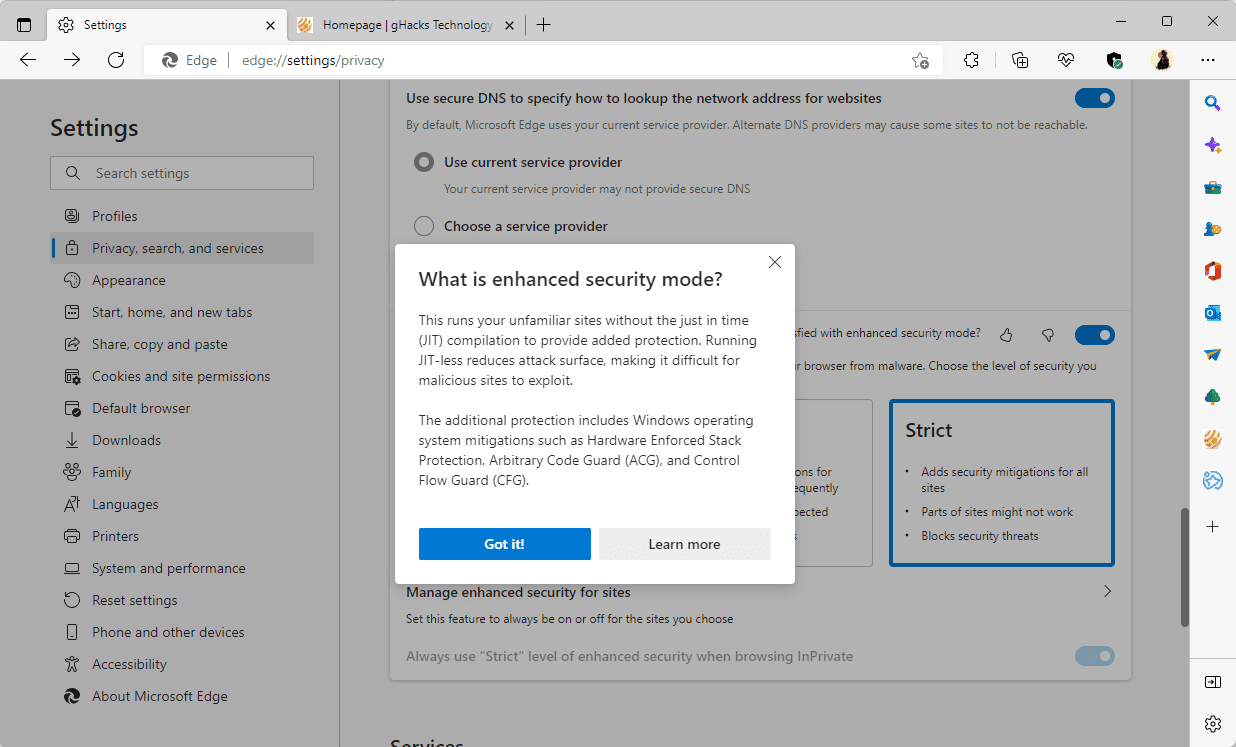
When enabled, Enhanced Security Mode enables additional protections provided by the operating system, such as Hardware Enforced Stack Protection, Arbitrary Code Guard, and Control Flow Guard.
Note: WebAssembly is not supported right now. Sites that use it need to be added to the exceptions list to make sure they work in Edge after enabling the security mode.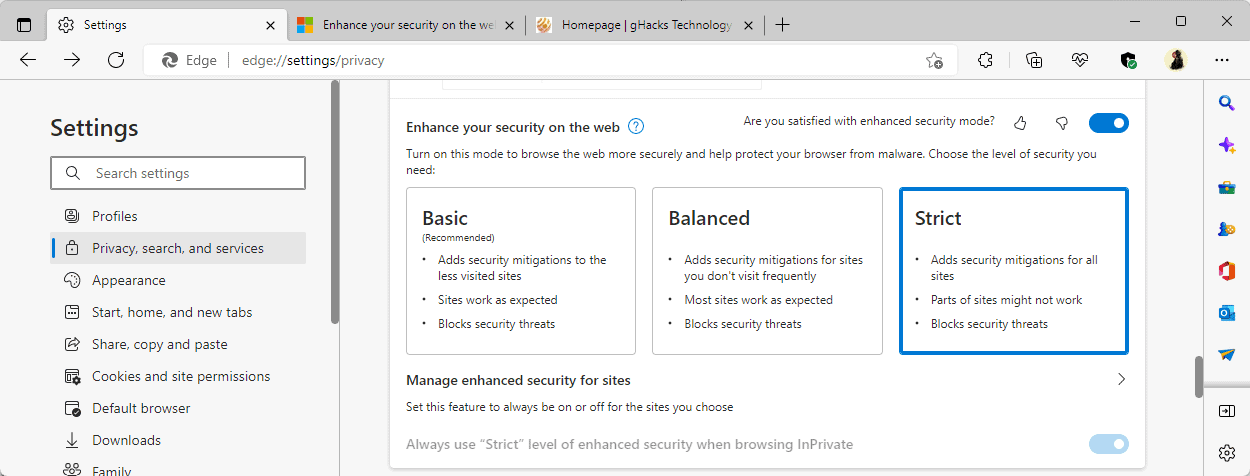
Note: Enhanced Security Mode is available on Windows and Mac operating systems only.
The security feature has two different levels that you may select:
Strict mode offers protections on all sites, but it may lead to more site breakage according to Microsoft.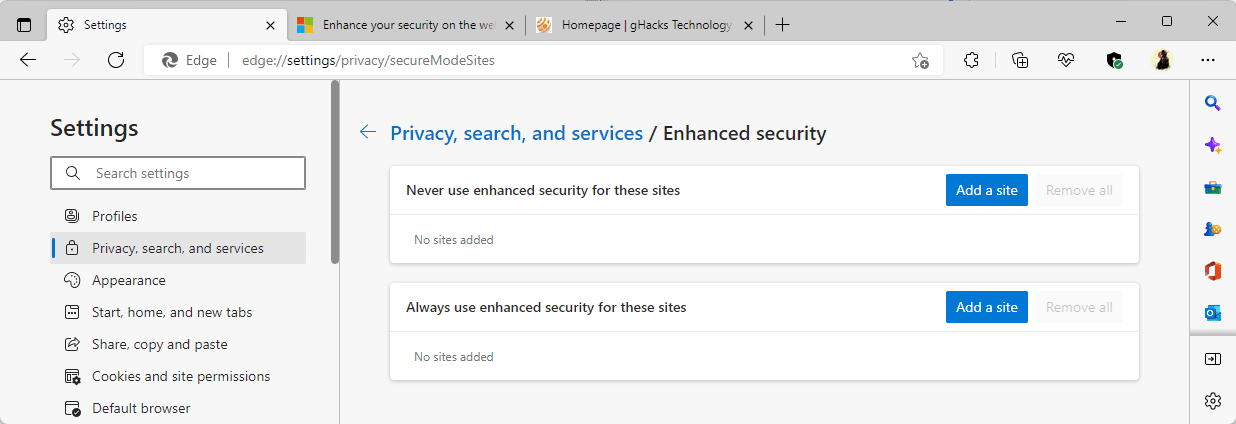
Microsoft is testing a new option to always use enhanced security for sites in Edge Dev currently. Exceptions are useful, for example, when a site’s functionality is broken if the mode is enabled.
Administrators may use a policy to configure the security feature in the Edge browser.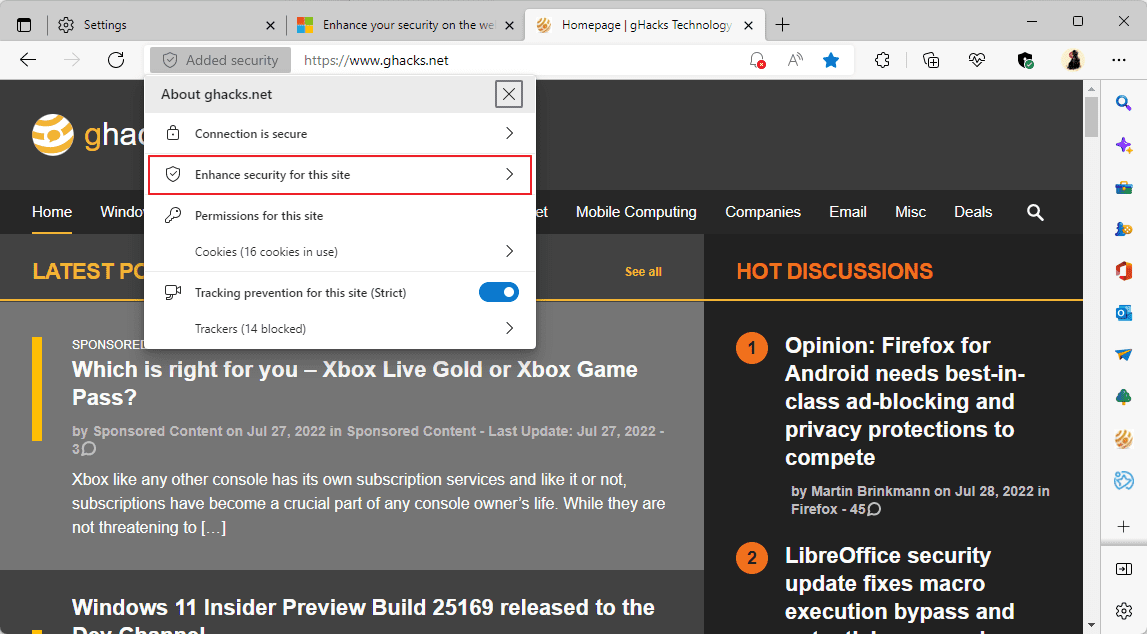
A click on the icon and the selection of “Enhance security for this site” displays an option to turn the feature off on the site and to open the preferences to adjust them in the browser.
Now You: How useful is Edge’s Enhanced Security Mode feature?
Off-topic: does anyone know of a release note page for Edge such as what Firefox, Chrome and Apple maintain? A page that shows the version numbers and their release date?
All I can find is a general audience blog that breathlessly expounds on all the new features (that none of seem to actually want lol).
https://docs.microsoft.com/en-us/deployedge/microsoft-edge-relnote-stable-channel
> Microsoft Edge displays “Added security” in the browser’s address bar if Enhanced Security Mode is enabled on a site.
I know it is ridiculously, but that was the reason why I stopped using the enhanced security mode. It just really annoyed me this see this huge label taking up space. There are all kinds of security features enabled and running in the background, not only in the browser, but also in the OS. There is simply zero need for any of them (besides the SSL icon) to display a huge marketing message alerting us to that these security features are running.
And this “Added security” banner is completely useless. When you click it it provides zero information about what kind of security that has been added.
What is the next step? That Windows Defender starts to display a huge banner in the task bar displaying all the various ways it helps protect your computer.
The “Added security” could easily be replaced with e.g. a symbol on top of the SSL icon.
Some of us do care about minimal UI and having a huge irrelevant banner conflict with this.
/rant over
I distrust MS to such a degree that I completely uninstalled Edge. I also uninstall most of the MS pre-installed apps.
My devices are lean and mean speedy fighting machines without the MS spyware.
That’s right, don’t send it to Microsoft. Your data is safe with Google!
This will offer superior “security” automatically rather than Chrome or Firefox by default from the perspective of a normal user?
Please click on the following link to open the newsletter signup page: Ghacks Newsletter Sign up
Ghacks is a technology news blog that was founded in 2005 by Martin Brinkmann. It has since then become one of the most popular tech news sites on the Internet with five authors and regular contributions from freelance writers.