
Rejoice! Microsoft brings Search Highlights to Windows 11 – Ghacks

If you always wanted to know when the next National Prime Rib Day or Earth Day is, then you may be looking forward to the introduction of Search Highlights on Windows 11. Everyone else may be looking for a way to disable Search Highlights instead.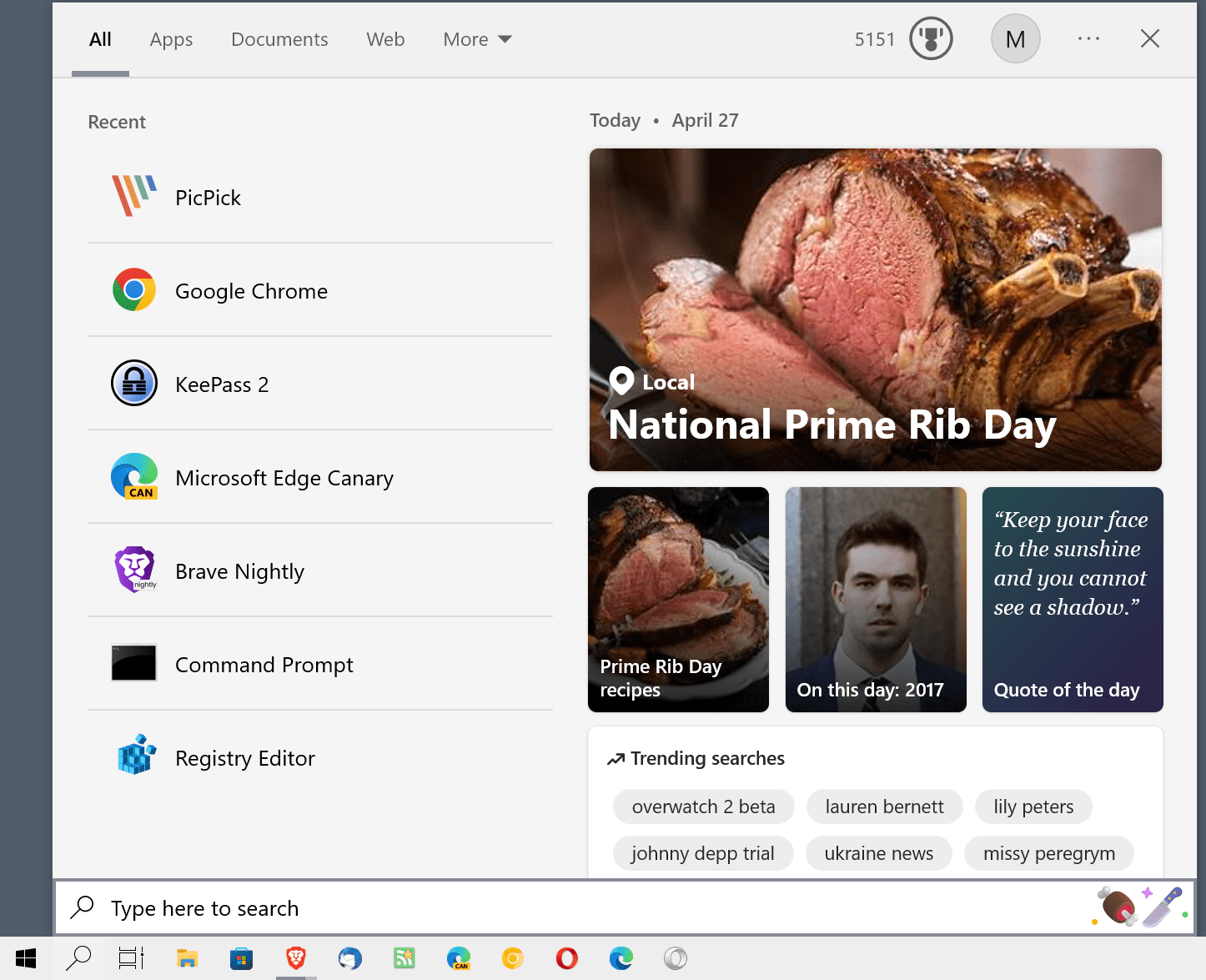
Most Windows users come into contact with Search Highlights by accident. They notice a new icon on the taskbar, depicting the special event that Microsoft picked for the day. National Prime Rib Day, one of your favorites, is depicted with meat and knife icons, earth day, with an icon of earth surrounded by pink hearts.
Search Highlights is actually a dual feature. For home systems, it offers “a look at interesting moments in time and a convenient way to discover content”. For work devices, it may help users “discover and search for content across Microsoft 365”. While the latter may indeed be useful, most Windows users would probably agree that the home variant of Search Highlights is not useful.
Microsoft notes that Search Highlights will roll out over the coming months on Windows 11 devices.
Windows 11 users may turn off the feature, similarly to how Windows 10 users may disable it. Yo may check out our guide on disabling Search Highlights on Windows 10 here.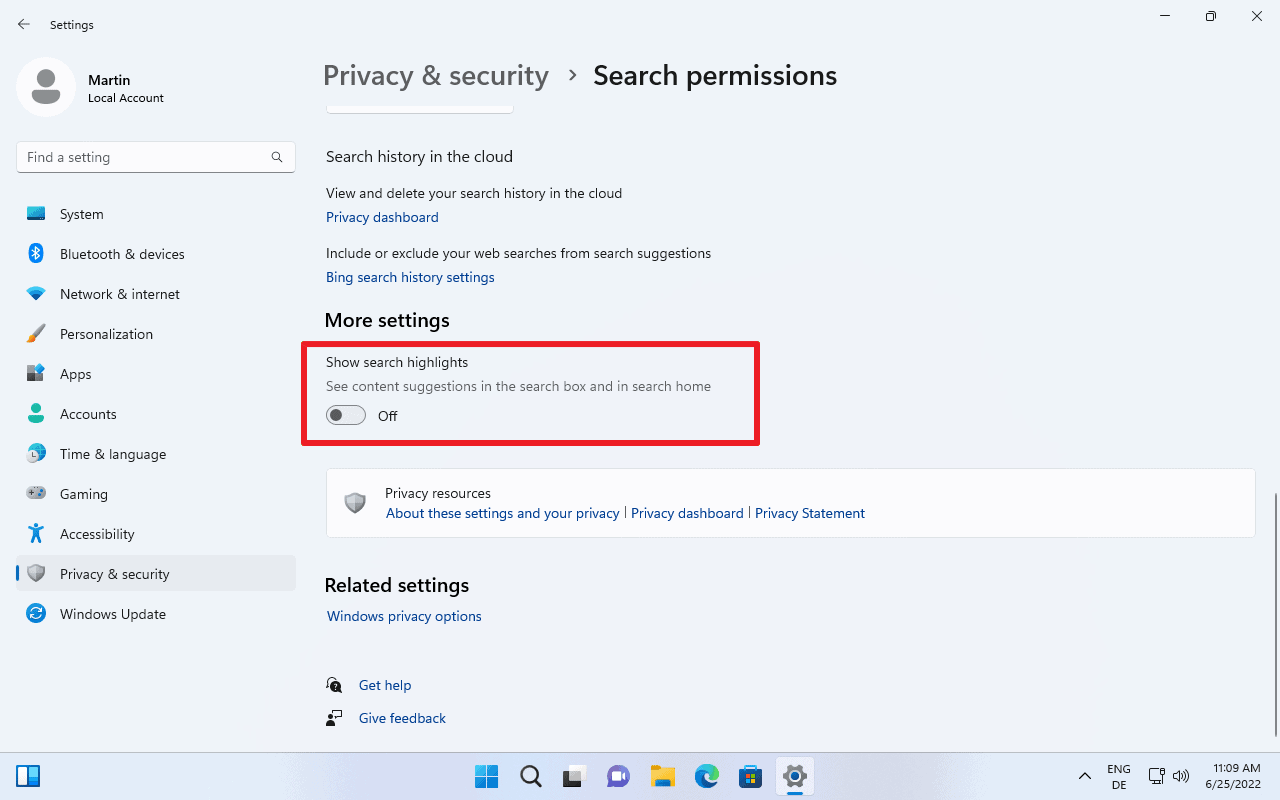
Windows 11 won’t change icons on the taskbar of the operating system anymore once you make the change. The search interface does not display information related to Search Highlights anymore when you open it either.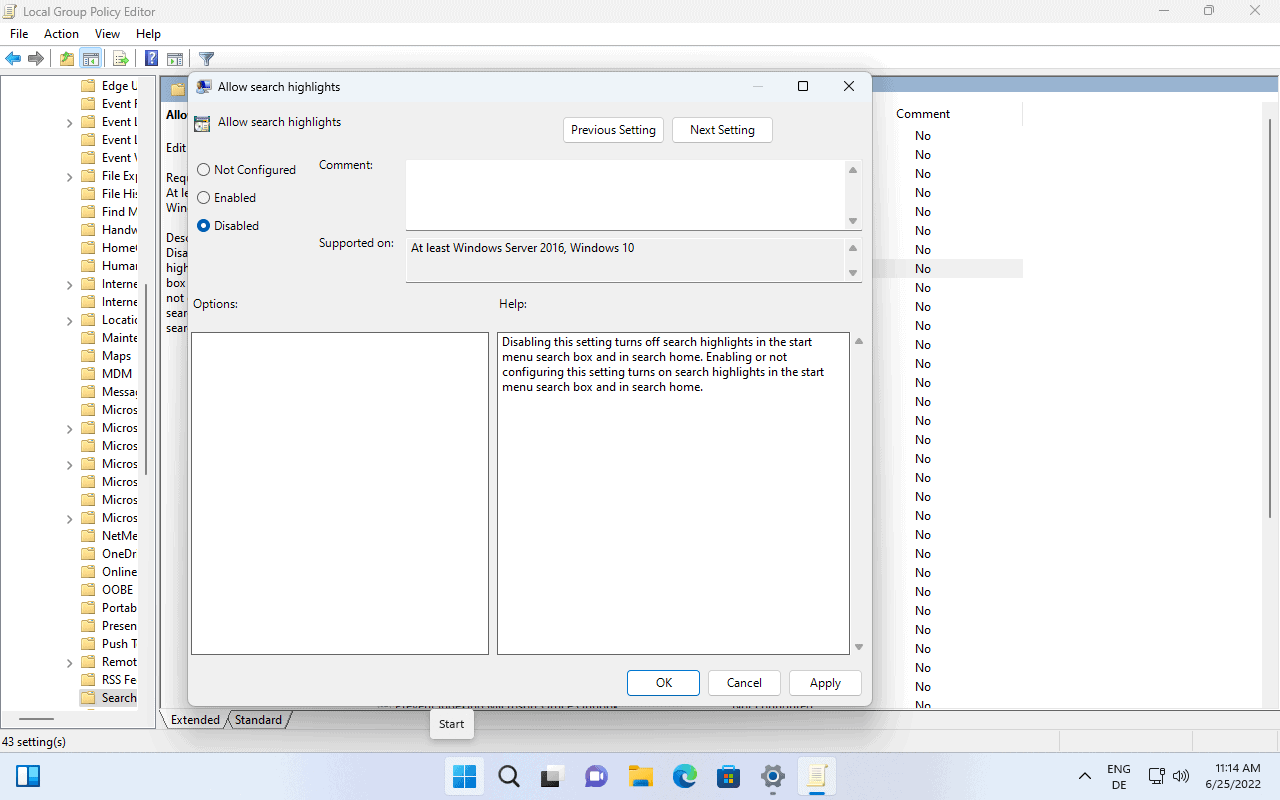
You may undo the change at any time by switching the state of the policy to “not configured” or “enabled”.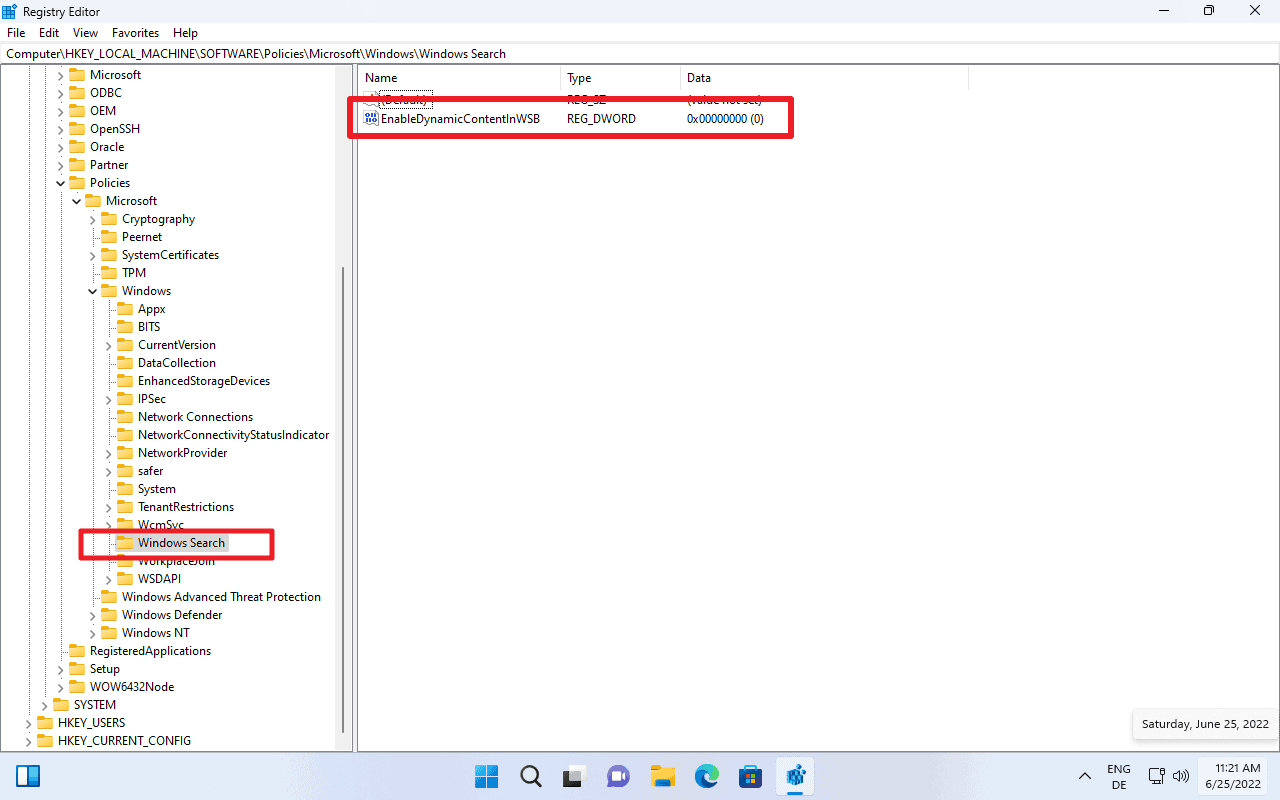
Now You: will you keep Search Highlights turned on, or will you disable it?
Just use Everything, faster, more features than builtin Windows Search.
Yea. Everything is instant. You don’t need to wait.
That has nothing to do with this post.
Oh joy, just what an operating system needs, a way for a marketing company to push something they’re paid to find interesting at us. Oh wait, Google has been doing that for years. Please note, this comment was brought to you courtesy of sarcasm.
@Martin
May I suggest you run a poll to see how many of your users are still on windows 10?
You seem very happy with windows 11, as it’s all you seem to write about any more. Good for you but, what about the rest of your readers?
FYI Disabling “Allow Search Highlights” with GPEdit works for windows 10 pro too.
Right now I happen to be sitting at a computer that came with Win10 Pro preinstalled a few years ago. It still has the same version 1803 (for I never allow Windows Update to just do its own things).
Just checked in GPEdit, and no, this Win10 does not have an “Allow Search Highlights” option.
Oh what a pity! Yes, now of course I will have to update the system to Win11 asap to get this wonderful enrichment of my online life! At least, this is what Microsoft supposes users like me will do? Hmm.
I need an OS that will scream at me for not buying the latest fashion trends and for not joining in all the local protest rallies. Can someone tell me if either Windows or Apple or maybe ChromeOS is better at verbally abusing its users?
I know that Linux is a waste of time – it will just encourage me to grow my neckbeard longer and to stop bathing and using deoderant.
Martin, I enjoyed your facetious commentary, but on the the other hand I do have my home laptop at current stable Windows 10 to occasionally show me a machine selected view of a few OneDrive stored images I forgot about.
Please click on the following link to open the newsletter signup page: Ghacks Newsletter Sign up
Ghacks is a technology news blog that was founded in 2005 by Martin Brinkmann. It has since then become one of the most popular tech news sites on the Internet with five authors and regular contributions from freelance writers.