
Thunderbird 102 released: lots of new features and improvements – Ghacks

Thunderbird 102 is out now. The new version of the popular desktop email client is a major new release that introduces several new features and improves others.
You may want to check out our review of the Thunderbird 102 beta features here, but expect a new look, new address book, improved account setup and migration, link preview cards support, support for multiple spell checking dictionaries, and a redesigned message header among other new features.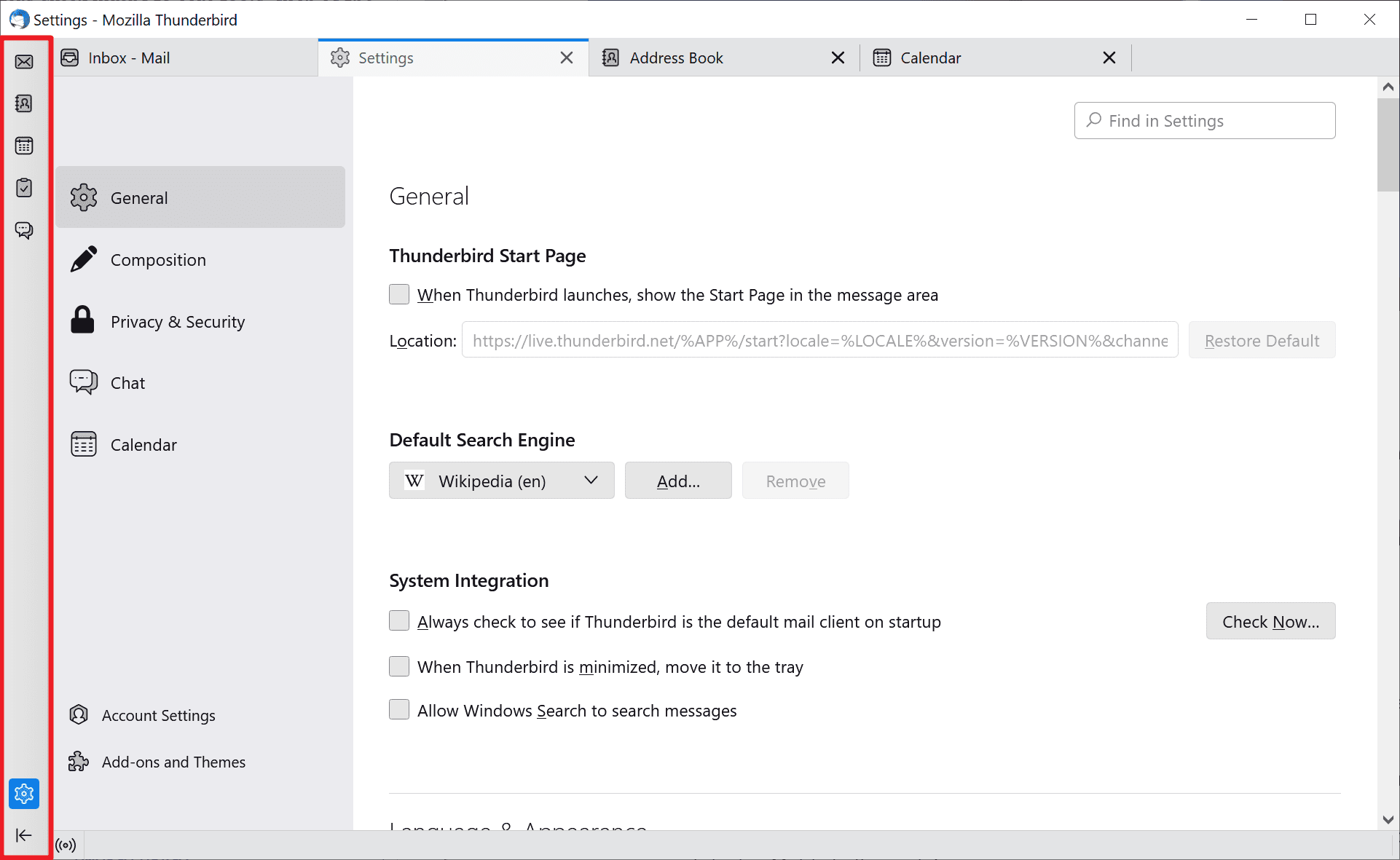
Tip: if you notice display issues, these may be caused by the selected theme. You may want to switch to another theme to see if it resolves these. Select Tools > Addons and Themes to do so.
When you launch Thunderbird 102 for the first time, you will notice some of these changes immediately. The Spaces toolbar, located on the left side of the email client, is one of these changes. It offers quick jumps to core tools, such as the address book or tasks.
Keyboard users may use Alt-1 to Alt-5 to launch these directly without moving the mouse or the finger near the bar. In fact, you may hide the Spaces toolbar and still use the shortcuts to launch the tools.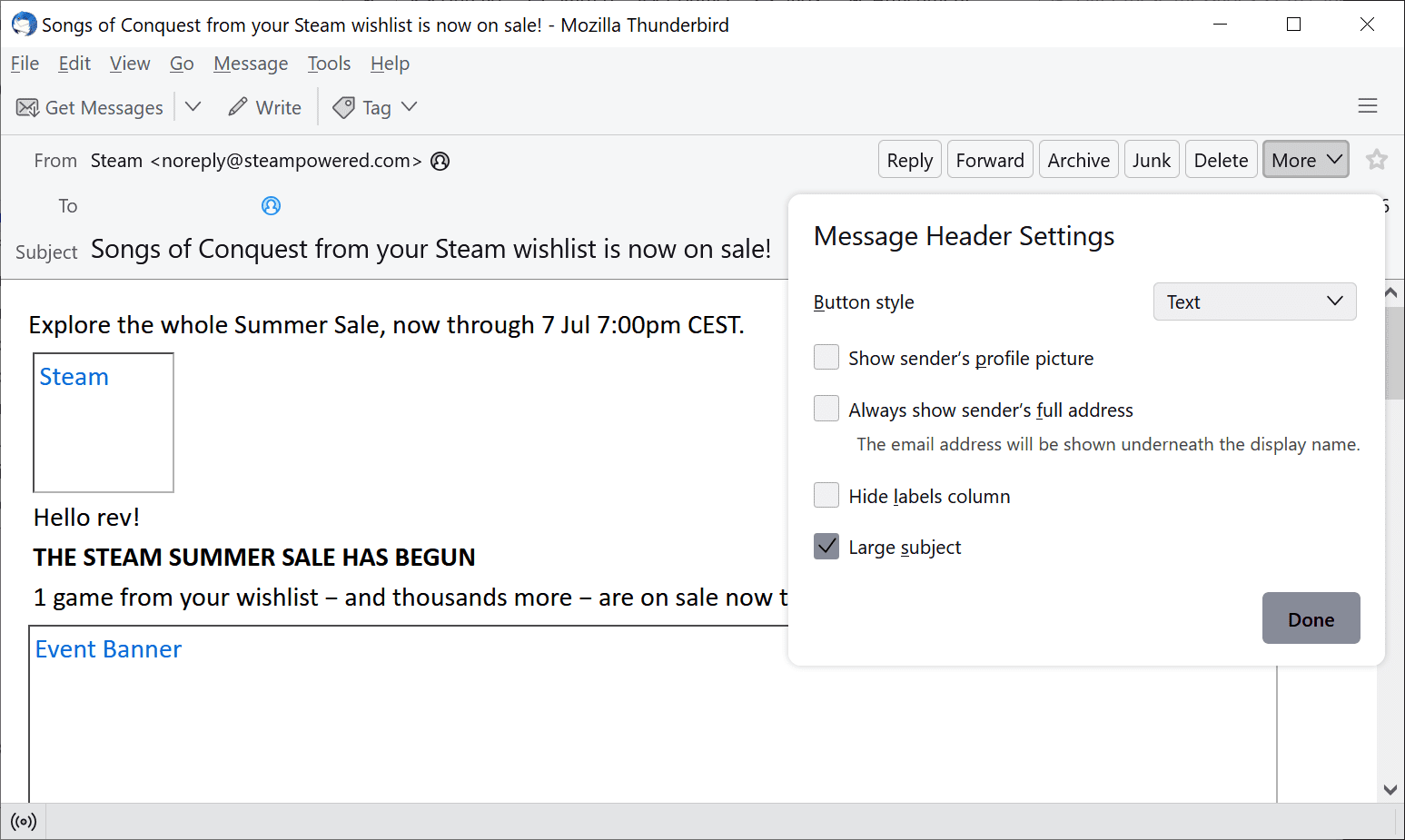
Select the More button when viewing a message and then Customize to display the options. There you find options to make the subject larger, make Thunderbird display the full email address all the time, show the sender’s profile picture, if available, and to hide the label column.
Other changes in Thunderbird 102
You may want to check out the full changelog — it is huge! — on the official site.
If you like to get your hands on Thunderbird 102, then you have the following options to install it from scratch or upgrade an existing Thunderbird installation:
(Update: Not yet enabled) The easier option, probably, is to run a manual check for updates in Thunderbird. Just select Help > About Thunderbird to do that. If you don’t see the menu bar, press the Alt-key on the keyboard to display it. Thunderbird runs a check and should pick up the new version of the email client automatically. If you don’t see it offered there yet, you need to download it manually to upgrade.
If that does not work, or if you prefer to download the installer, you may do so on the official download page. Go there, find the right interface language and click on one of the download options to download the installer.
Now You: have you upgraded to Thunderbird 102? What is your impression?
My Thunderbird won’t update, even after downloading the installer from the webpage.
That is strange. Did you verify that it installed in the right program folder? Select “custom” during installation to check it.
The article is incorrect. Updates are not yet enabled.
Nvm, it works. Must have done something wrong the first time.
My Thunderbird 91.9.0 updated this very morning. But not to 102. To 91.11.0.
Really nice improvements.
I cant wait for Mozilla Thunderbird 104.
Unfortunately, the same issues I faced with Google contacts/calendars that surfaced with version 91 a year ago are still present on this release. Despite submitting bug reports and having the developers acknowledge the issues, it’s still present on this version.
Thanks for the info, I ask about this here every time there’s a “TB Update” story and usually get no answer.
Manually upgraded and seems OK so far.
I now prefer the the look with my own userChrome.CSS switched off, which is an unexpected plus.
Multi-language support sounds good, but better than the Automatic Dictionary extension? Let’s see.
Not keen on the design of the new address book, but maybe I’ll get used to it.
The Spaces Toolbar – instantly switched that off.
Does it now work with gmail?
It always has.
But Thunderbird is based off Firefox and not Brave! Let me continue a 2 page rant how this is bad and my day is now ruined. Wah wah wah!
does it support exchange emails natively now?
What is the default sandbox level?
I set the same level as Firefox (6).
What is the default sandbox level?
I also set the same level as Firefox in the previous version
Other readers, please post your upgrade experiences.
I switched to Thunderbird about 4 years ago, and the TB import tools didn’t work then. I couldn’t import email, nor contacts from Outlook.
Does the TB import of email and contacts from Outlook work now?
Looks like they are planning on ruining Thunderbird with some ugly modern design. It will look exactly like Outlook and Gmail… What’s the point using Thunderbird then? Nothing will set it apart from another client now.
102 looks nice but something changed with the “Tools ==> Activity Manager” menu item. Used to show success/failure of “Getting Messages” from each mailbox. Does not show that now, but other activity. Hmmm….
I’m stuck on Thunderbird 52.9.1 because these continual “improvements” break features that I want to use.
Are any of these now supported in 102?
(1). The ability to selectively send encrypted emails for specific contacts rather than an everybody or nobody approach.
(2). The ability to minimize Thunderbird to the system tray at start up (Not to the task bar).
(3). The ability to manually sort folders
(4). Support for S/Mime Certificates (Not GNUPG as that has its own set of bugs).
(5). CSS to make 102 look like 52.9.1. I’m not a dark mode fan as I’m old and I can’t read stuff in dark mode. Specifically the curved tabs (top and bottom), and support for themes
I’ve read through many change logs, but as you can imagine, there are a lot of releases between 52.9.1 and 102 🙁
Please click on the following link to open the newsletter signup page: Ghacks Newsletter Sign up
Ghacks is a technology news blog that was founded in 2005 by Martin Brinkmann. It has since then become one of the most popular tech news sites on the Internet with five authors and regular contributions from freelance writers.